
Connect SCM
Connect a source control provider to Git AI and track AI-authored code across all repositories, pull requests, and teams.
Developers with the Git AI CLI installed attach an authorship log to every commit via git notes. Connecting a source control provider lets Git AI read those notes at the organization level and track AI-authored code in aggregate — by pull request, repository, and team.
Supported Providers
| Provider | Status |
|---|---|
| GitHub | ✅ Supported - cloud and self-hosted |
| GitLab | ✅ Supported - cloud and self-hosted |
| Bitbucket | ✅ Supported Cloud. ❌ Data center not supported |
Connect an SCM Organization
Prerequisites:
- Admin access to the SCM organization or group. Non-admins who attempt to connect will trigger an approval request sent to an org admin.
- An active Git AI for Teams account — start your trial here
Steps:
- Open Settings > Connect SCM in the Git AI dashboard
- Select the SCM provider and authenticate
- Choose one or more organizations or groups to connect
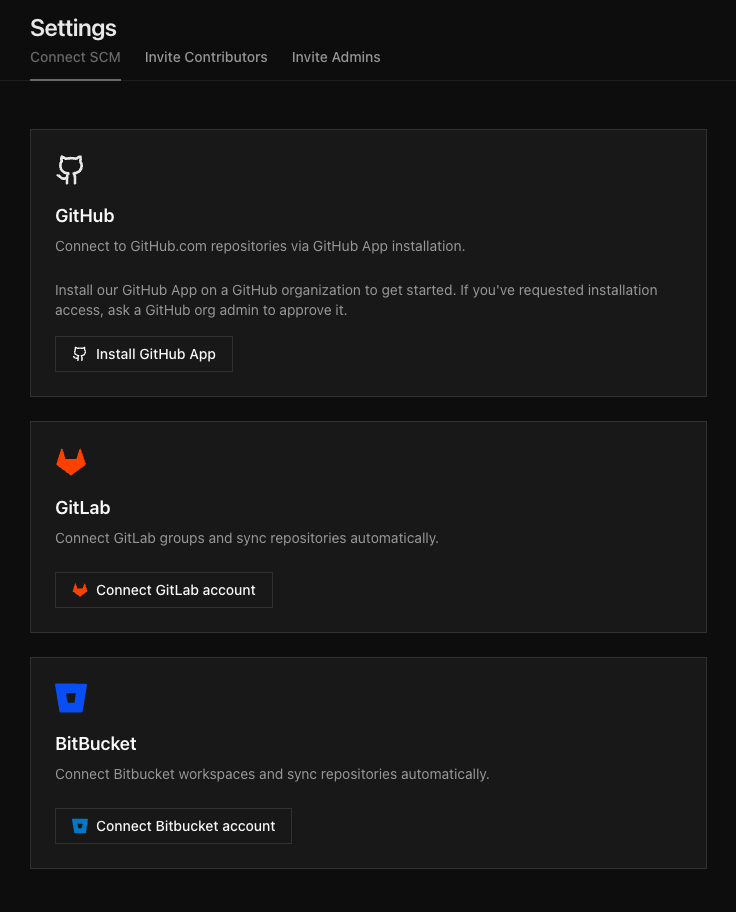
Once connected, Git AI begins processing authorship data for every repository in the organization. No per-repo configuration is required.
Permissions and Security
What Git AI accesses
| Permission | Purpose |
|---|---|
| Organization member list | Aggregate AI-authored code metrics by contributor |
| Repository clone (read) | Pull latest git notes and run git-ai blame to compute per-line AI attribution |
Git notes push (refs/notes/ai) | Write reconstructed authorship logs after web-UI squash or rebase merges |
| Webhook events | Receive push and pull request events to trigger attribution processing |
Data handling and transport security
- Clones run on isolated, ephemeral compute. Repository data is deleted immediately after the operation completes. Git AI does not store source code.
- Push access is scoped exclusively to
refs/notes/ai— the Git AI notes namespace. Git AI never pushes to branches and cannot bypass branch protections. - Incoming webhooks are validated using provider-signed secrets. Secrets are rotated following each SCM provider's best practices.
Self-Hosting
For organizations that require full control over infrastructure and data, Git AI supports self-hosting. Interested in self-hosting? Schedule a call.