
Personal Dashboard
Cross-agent stats and agent session analysis to improve your AI-aided development.
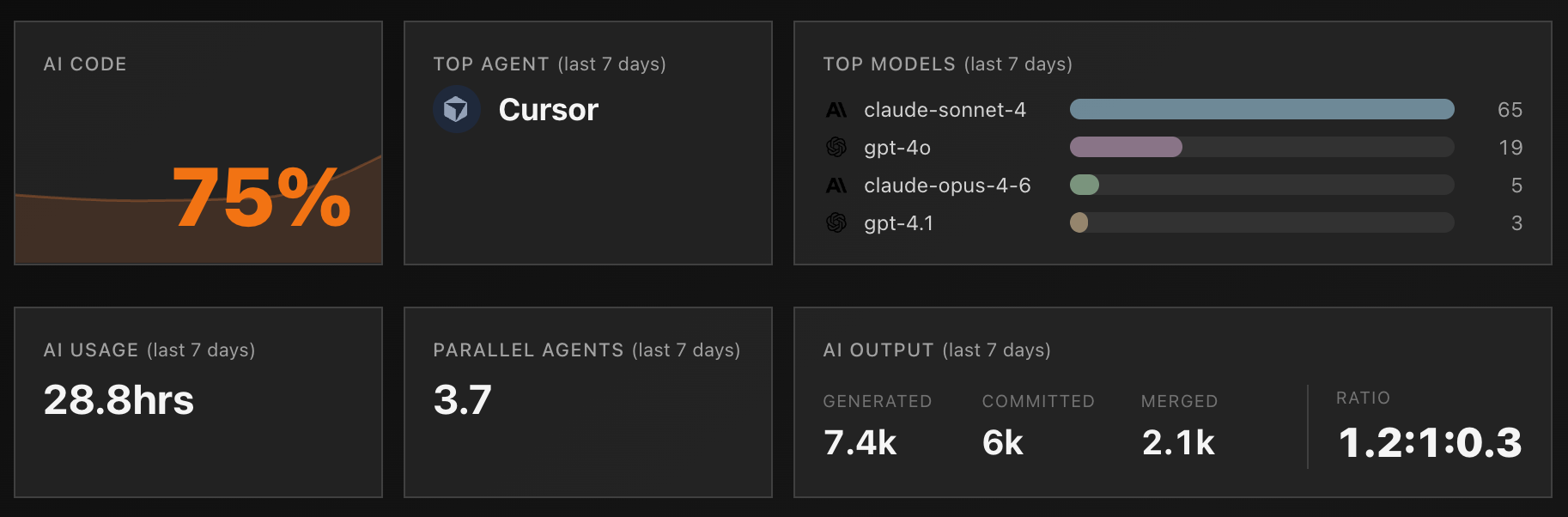
Git AI's personal dashboard tracks key stats about your AI-aided development:
- AI Code % — What percentage of your code is AI-generated?
- Parallel Agents — How many agents are you running at once?
- Hours/Day — How many hours per day are models working for you? (often exceeds your actual coding time)
- Generated : Committed Ratio — How many AI-generated lines make it into commits vs get thrown away? A good proxy for prompting effectiveness.
Setup
git-ai login
git-ai dash
If you don't see any stats, make a few AI-aided commits and check back.
Agent Session Analysis
Git AI stores every agent session and tracks AI-generated code through the full SDLC — giving you the data to analyze your prompting practices and figure out what works.
The /prompt-analysis skill loads your agent sessions from the local store, git notes, or a cloud session store, then creates a one-off SQLite database as a scratchpad to record analysis as it iterates through your sessions.
Example
Ask the agent to analyze your prompts:
/prompt-analysis How has my prompting practice changed over the last 3 months?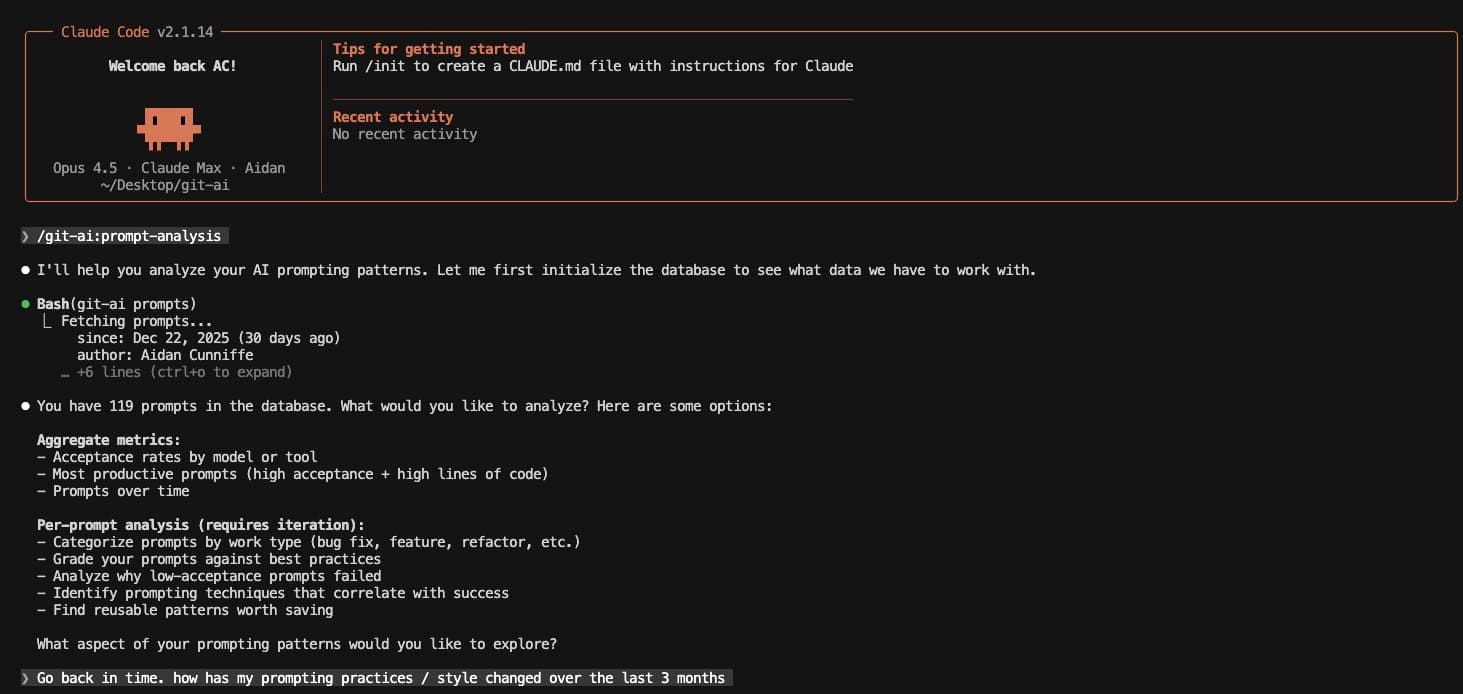
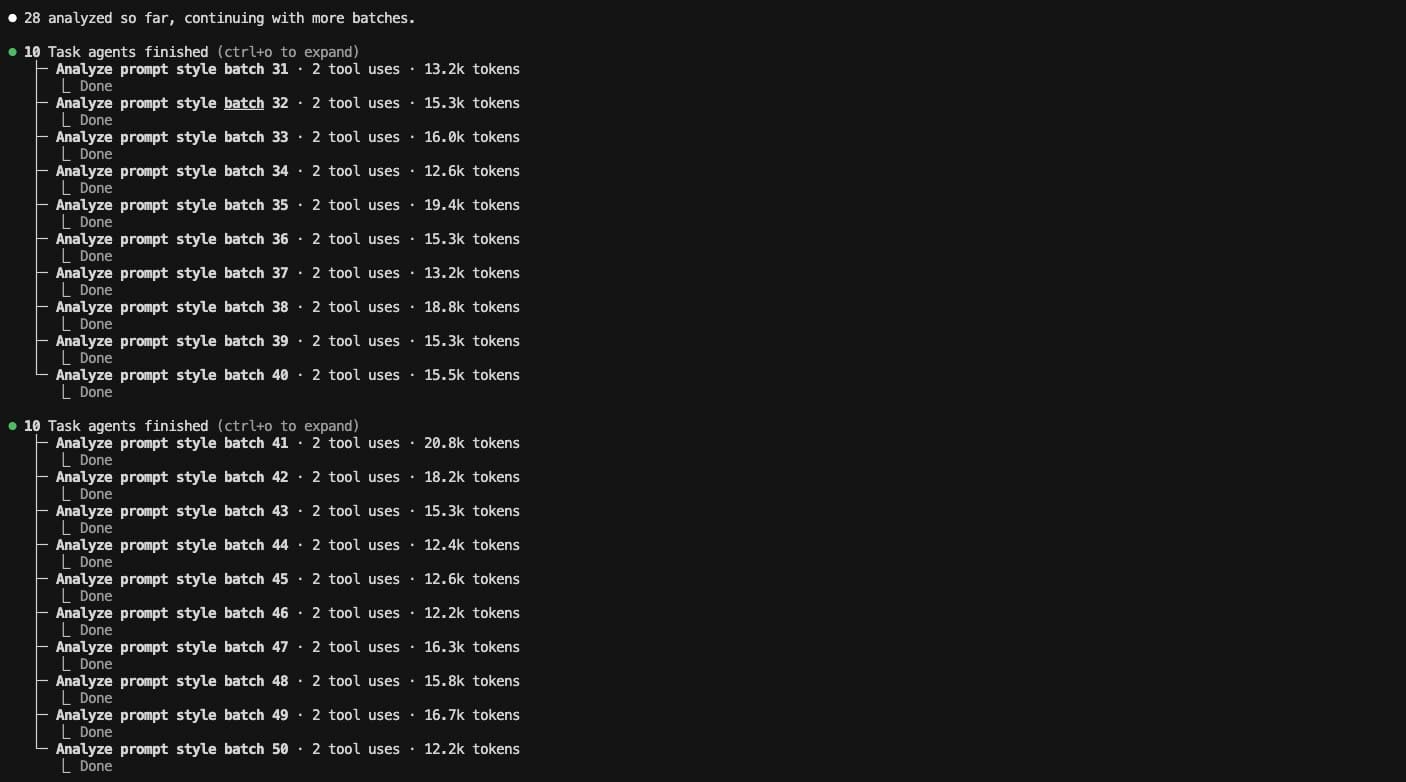
The agent spins up sub-agents, grades each prompt, and records results in SQLite:
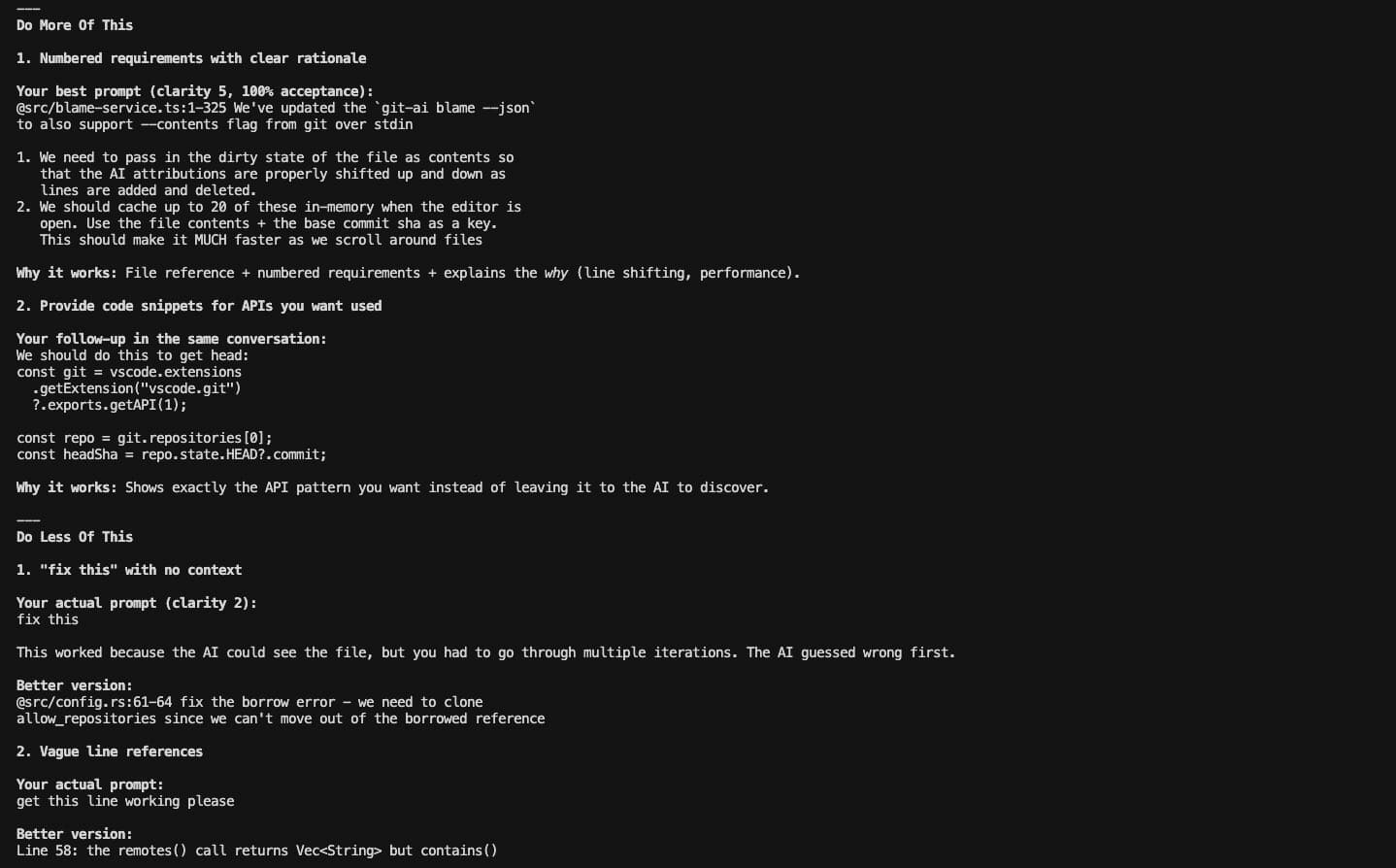
Final queries, summary, and results:
Setup with Claude Code
Each version of git-ai ships with local skills versioned alongside the binary:
/plugin add ~/.git-ai/skills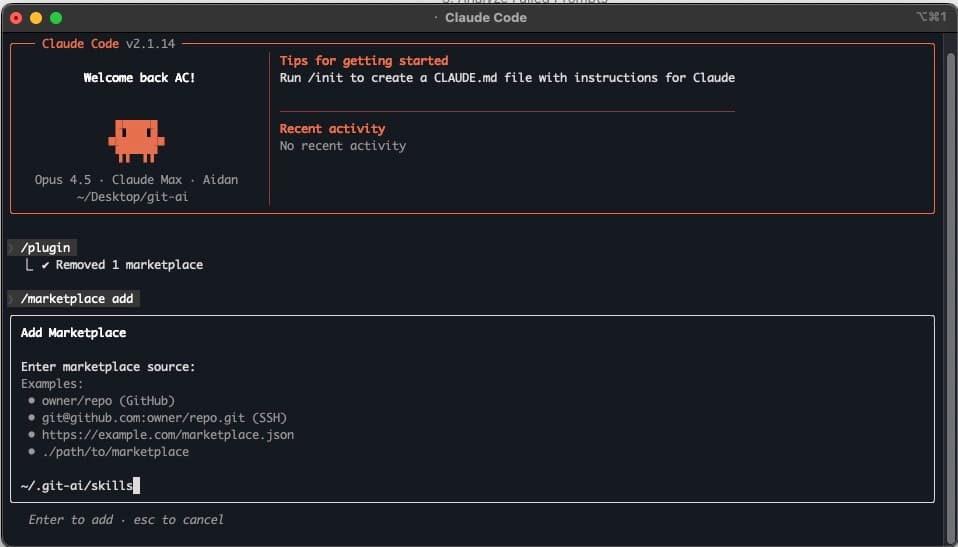
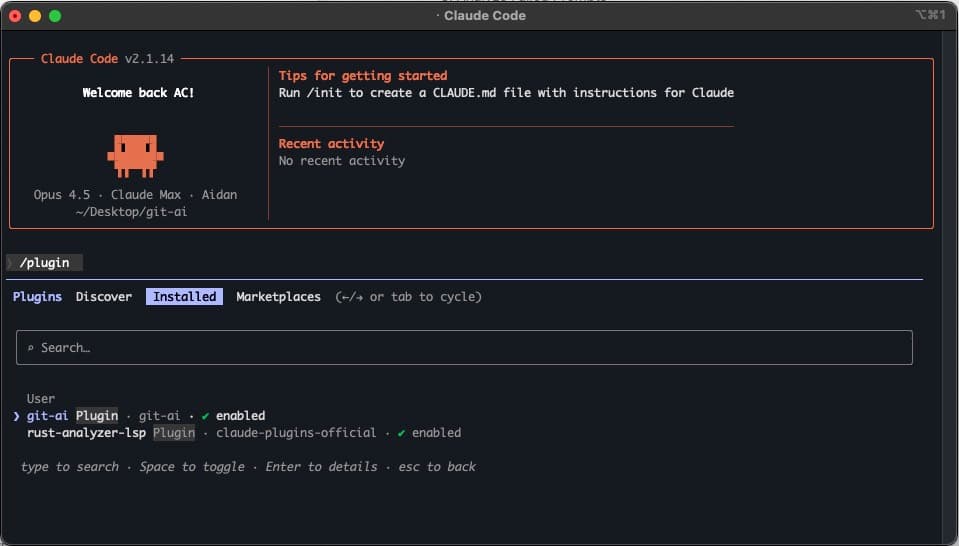
Depending on your settings, you may need to install the skill before it appears on the Installed tab:
Questions to try
/prompt-analysis Which model has the best acceptance rate? What's the overall trend over 6 months?/prompt-analysis Grade my prompts according to best practices/prompt-analysis Categorize my prompts by work type (bug fix, feature, refactor, docs)/prompt-analysis Why do some of my prompts have low acceptance rates?/prompt-analysis Correlate my prompting techniques with acceptance rateCompare to your peers
Include agent sessions from your whole team by mentioning "team", "everyone", or "all authors":
/prompt-analysis Compare and contrast my prompting practice to everyone on my team/prompt-analysis Which team member ships the most AI-code with the highest acceptance rate? What are they doing differently?Go back further in time
By default, analysis covers the last 30 days. Mention a time range to go further.
The furthest back you can go is the date you installed Git AI.
/prompt-analysis Grade all my prompts from the last 90 days/prompt-analysis How has my prompting practice changed over the last 6 months?